How to Make Your Website More Accessible (and 10 WordPress Sites That Are Leading the Way)
When launching a new website, you’ll likely think about a number of different things when putting it together. But if you’re like many, accessibility isn’t at the top of that list.
What is accessibility? According to W3C, web accessibility refers to how easily those with disabilities can use the Internet. Or, to be more specific, it means, “…people with disabilities can perceive, understand, navigate, and interact with the Web, and that they can contribute to the Web.”
On top of that, I’d say it’s recognizing that people with all different types of disabilities access the Internet and want to have a pleasant experience. It means optimizing your site to be enjoyed by, truly, the largest number of people possible.
With WordPress, designing for accessibility shouldn’t be all that difficult. You have all the tools you need at your disposal to make it happen. But you’d be surprised by how subtle things can make such a big difference for those using screen readers or other assistive devices.
Today we’re going to look at what makes an accessible website, some of the top WordPress themes that employ the Web Content Accessibility Guidelines (WCAG) 2.0 standards, and WordPress sites that also abide by these standards.
What Makes a Site Accessible?
While there are a lot of details that go into a fully accessible website, a few broad criteria must be met.
The following are the key components that go into site accessibility:
1. Using Good, Clean HTML
You should be doing this anyway, but solid HTML structures make websites more accessible. By using all the proper header tags, bulleted lists, alt tags, title tags, and meta descriptions, you’re telling visually impaired visitors what everything is and where everything is on the page. You’re also making it easier for screen readers to pick up the content and read it.
2. Including Keyboard Support
This falls in line with good HTML. You also need to ensure your site is entirely accessible through the keyboard. A trackpad or mouse shouldn’t be required to access all navigation. Without keyboard navigation support, the visitor won’t be able to tab to the links they want to visit.
3. Offering Text Alternatives for Everything
Part of this is good HTML, still, but it also has to do with understanding that not every visitor is going to be able to see your fancy graphics and videos. It’s fine to include multimedia items (it’s encouraged, in fact) but doing so without providing adequate descriptions and alternatives results alienating an entire group of potential visitors.
4. Include a Style-Free Option
Another thing you should do is to provide a simplified version of your site that omits all or most CSS. The trick is to offer this without sacrificing any of the layout, content, or navigational elements. From a developmental standpoint, this can be accomplished by separating the site’s structure and the site’s content.
5. Include ARIA Landmarks
Short of Accessible Rich Internet Applications, designing with ARIA in mind means you need to include landmarks without your HTML and content that tell assistive technologies what it’s reading, where the visitor is on the page, and what to do next. This is something that should be utilized in conjunction with clean HTML.

6. Providing Good Contrast
Another important thing to offer is a high contrast option. Well, actually you could just opt to provide a high contrast design in the first place that’s easier for those with visual impairments to view and process. Or, if you’re committed to a certain look, you can provide a high contrast option. The University of Mary Washington does an excellent job of this by offering a button that toggles on and off high contrast mode.
7. Avoid Seizure-Inducing Graphics
Flashing content is a big no-no when designing for accessibility as flashing lights and fast-moving images have been known to trigger seizures in those susceptible. If you simply must include something that flashes on your site, ensure it falls below the appropriate threshold.
8. Remove Time-Limits
Make sure any media you include on your site can be paused and replayed as often as the visitors needs. Also, provide alternatives for those with disabilities when encountering a time-sensitive portion of your site like a quiz or test.
Current Top Accessible Themes
Building a great WordPress website that is accessible can be done manually. In fact, there are many tutorials for achieving just that. But I think it’s important to note that there are numerous themes available that can help you to accomplish this goal as well. They can be customized just like any other theme but offer a rock solid foundation of W3C validated code and accessible features that abide by the WCAG standards to get you started.
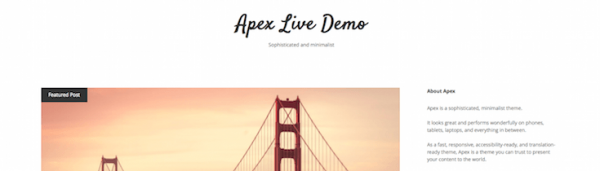
Apex
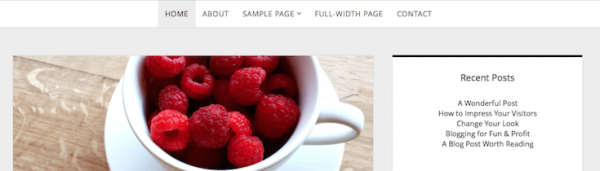
This minimalist theme is a delight to look at and offers a simple layout that is easily recognized by assistive devices. It looks great on all screen sizes and offers a responsive and adaptive design. This theme is also translation-ready and provides a familiar yet undeniably stylish layout that can be used for simple business sites and personal blogs.
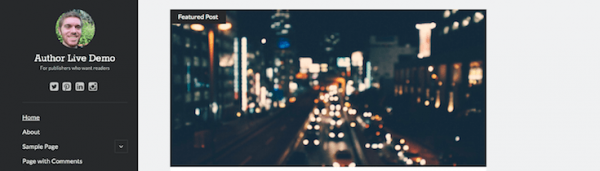
Author
Another simple theme worth checking out is called Author. It’s a fast-loading, responsive theme that is built with reading in mind and includes accessibility-ready features, to boot. The code has been minified so it will load quickly on any device. Author is a free theme for those concerned about offering presentable and easy-to-ready content.
Founder
Founder is another minimalistic design that’s certain to appeal to anyone looking for a clean, fast-loading site. It’s highly professional and looks great on all devices. It also uses Noto Sans, Google’s multilingual font, making it perfect for translation.
This theme is also accessibility-ready, with proper HTML structure, clean code, and attention paid to contrast.
Tiny Framework
A popular choice in terms of accessibility is Tiny Framework. This free theme incorporates the features of the default WordPress themes while adding on schema.org microdata and accessibility. Its design is responsive, looks great on mobile devices, and comes with full documentation.
This theme is built on Underscores and includes footer widgets, FontAwesome icons, Google Fonts, custom action hooks integration, a custom site logo, and a sample child theme which you can use to start your customizations.
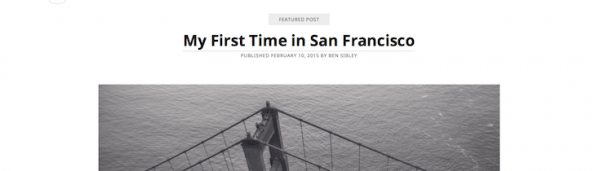
Simppeli
Simppeli is a simple blogging theme that’s truly all about your content. It offers a reliable framework of clean code that’s structurally sound then gets out of the way of your words. It also has stylish typography that’s easy on the eyes and quite large.
Accessibility is, of course, a primary feature here, which is apparent in the theme’s text-oriented design and screen reader-friendliness.
Casper
This is an interesting addition to the accessibility-ready theme list for WordPress because it actually got its start on Ghost. Casper is actually a port for WordPress of the Casper Ghost theme and it’s every bit as beautiful and easy-to-use. This theme is customizable, includes hooks, and is responsive for a clean look.
Casper is also fast-loading and provides a clean, accessible layout that’s assistive device-ready.
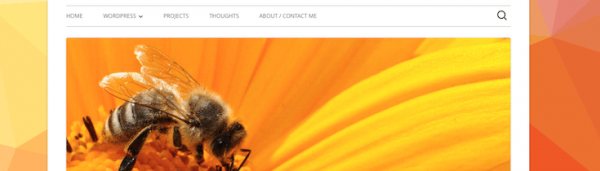
Twenty-Sixteen
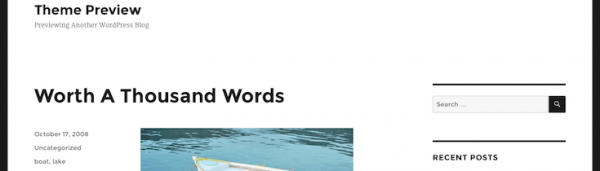
Yes, it’s one of the WordPress default themes. But you know what? Twenty-Sixteen is a great accessible theme option because it offers a highly modern layout without a lot of fluff and looks and functions great, no matter what device you use to access it. It includes a horizontal masthead, a right sidebar, custom colors, predefined color schemes, and more.
This theme is responsive, mobile-first, and just plain looks great. Add in the fact that it features clean, properly formatted HTML, and it will port over to assistive devices in a snap.
Unlimited
Unlimited is a lovely responsive theme that prioritizes accessibility, right along with its minimal and elegant design. The look is simple, which means you content stands to shine on its own. Of course, this makes it a perfect candidate for building an accessible site—there aren’t a lot of unnecessary doodads to get in the way of your clean markup.
It supports large featured images, social icons, and supports a high contrast design that’s easy for those with visual impairments to process.
Simone
Another solid theme option is called Simone. It has accessibility at the top of its feature list which includes responsiveness and large featured images as well. The typography is large, bold, and easy on the eyes, and there is a social menu, multiple sidebar and footer widgets, page templates, and more included.
It also comes with a collapsible author profile box, it’s translation ready, and all navigation is keyboard accessible.
Utility Pro
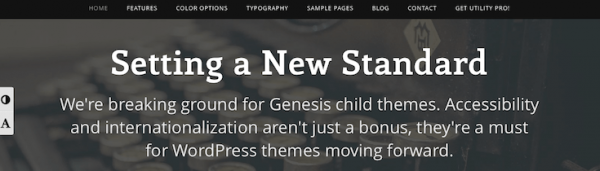
Utility Pro is a theme that is used by numerous accessible websites (and will come up quite often in the list of sites compiled below). Created by Carrie Dils, this theme is a child theme for Genesis that abides by the WCAG 2.0 standards and includes full language translation support.
This theme is responsive, mobile-first, and allows you to conduct business in any country that requires accessibility support. With regard to accessibility, this theme includes skip-links, screen reader compatibility, 4 Level AA color schemes, and keyboard navigation. Plus, it comes with a widgetized homepage, a landing page, multiple layouts, a utility bar, and more.
FREE EBOOK
Your step-by-step roadmap to a profitable web dev business. From landing more clients to scaling like crazy.
FREE EBOOK
Plan, build, and launch your next WP site without a hitch. Our checklist makes the process easy and repeatable.
Utility Pro is a premium theme and a license ranges from $80 for a personal plan up to $200 for professional.
Leiden
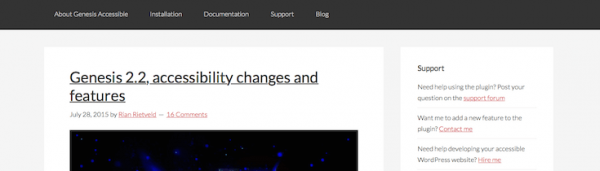
Leiden is a child theme for the Genesis Framework. It’s only available on GitHub but it offers a clean layout and design that works well for many different kinds of sites. Above all else, it’s a simple blog theme that ensures all of your content can be read by the widest audience possible.
The theme’s demo is actually the Genesis Accessible site, which offers info about the Genesis Accessible plugin and the Leiden theme and serves as an excellent example of an accessible site.
Musket Genesis Development Framework
While not a theme exactly, the Musket Genesis Development Framework sits atop the Genesis framework and allows for considerable customization while ensuring you follow best design and accessibility practices. It’s styled with Sass, uses the Bourbon mixin library, and the Neat grid framework. It uses Gulp tasks to speed up development, is Git-ready, and offers a mobile-first and responsive design. It’s also compatible with screen readers, supports keyboard navigation, and more.





For more accessible WordPress themes, check out a post from our very own Jenni McKinnon on the subject from earlier this year.
Accessibility Plugins for WordPress
Using an accessible WordPress theme is a good idea because it ensures the foundation of your site is structured for accessibility. But you can perform a bit of retrofitting on any theme by using an accessibility plugin.
These plugins can clean up your site’s code and aid in increasing its compatibility with screen readers and other assistive devices. Here’s a quick list of plugins worth checking out:
- WP Accessibility – Fixes common accessibility issues with your website.
- Universal Accessibility Key (UAK) – Add an accessibility shortcut to tour your website.
- Genesis Accessible – This plugin implements the accessibility features for the Genesis Framework.
- Skip To – A simple way to expand the usefulness of your site’s “Skip To Content” functionality.
- Accessibility Widget – Adds a sidebar widget to change the text size on your site.
Evaluating Accessible WordPress Sites With the WAVE Tool
Before I get to the list of highly accessible WordPress sites, I want to quickly go over the tool I’m using to evaluate them.

It’s a free online service called the Web Accessibility Evaluation Tool or Wave Tool and was created by WebAIM.
It works by evaluating sites in numerous key areas of accessibility, including things like proper use of headings, alt image tags, text size, contrast, and screen reader friendliness.
While the sites compiled here aren’t perfect, they have definitely been designed with accessibility in mind. And the more we, as developers and implementers, can build sites that marry good design with accessibility, the better off we will all be.
Highly Accessible WordPress Websites
Here’s a collection of sites that have prioritized accessibility while still providing a good design and user experience for the typical website visitor.
Brandon Kraft
Brandon Kraft’s site is a good place to start this list. If the name sounds familiar, it should – Kraft is a core contributor to WordPress and works at Automattic. He maintains a personal website where he blogs about all aspects of his life from travels to home brewing to fatherhood. His site is very simple, yet inherently readable with its white text on dark gray background, keyboard accessibility, and proper HTML structure.

His site can easily be read using assistive devices, can be navigated via keyboard, and is optimized to work just as well without its stylesheet. It fairs pretty well on the Wave Tool as well, though several contrast errors did come up (not a problem if viewed without CSS though).
Suffolk Artlink
Another example of an accessible WordPress site is the web presence of Suffolk Artlink, a charity group that aims to improve the quality of life of those with a wide range of abilities through creative expression.

It uses a custom theme built on the Genesis Framework and is designed with accessibility in mind.
It also uses accessibility plugins to improve its compatibility with assistive devices, like WP Accessibility and Genesis Accessible.
This site also performs very well on the WAVE Tool. A few stand out features include its use of ARIA labels, alt tags for all images, good contrast, and good use of a style-free layout.
University of Washington
After running the University of Washington website through the WAVE tool, it became apparent right away that it prioritizes accessibility.

It has just three errors, and though quite a few alerts, the design itself is obviously oriented toward being accessible for screen readers and for the visually impaired.
It features large headings and body text, alt text for every image, and clear navigation.
After some digging, the site also features a mock university website within its pages to demonstrate why inaccessible design is such a problem for those with disabilities.
The before version of the site has a whole host of accessibility problems including a CAPTCHA on the web form and a lack of identifying HTML tags.
The after version is cleaned up considerably and has a help button right up top, got rid of the CAPTCHA, and includes cleared navigational elements.
Game Accessibility
Developed by a member of the WordPress Accessibility team, Rian Rietveld, Game Accessibility is a site dedicated to offering people with alternate ways to interact with popular games by modifying gameplay and/or input.

The site is almost entirely free of accessibility issues and features large text, bright and bold visuals, and simple navigation.
It’s always nice when a site about accessibility practices what it preaches.
And this one surely meets the mark and then some.
Robin Gale Cornett
WordPress designer Robin Cornett shows off what she can do on her personal site. While talking all about WordPress, Genesis, and the plugins she’s created like SuperSide Me, she’s also demonstrating what good accessible design can look like. Based on Genesis, her site looks great, functions well, and follows most accessibility guidelines.
Buttons and images are large, text is bold and easy to read, and all content is keyboard accessible.

Rabia Gale
Another Robin Cornett creation is Rabia Gale, a speculative fiction author’s site that acts as a bio, blog, and all around home on the web for her short stories and novels. The site is based on the Genesis Framework and includes very large text, contrasting link colors, keyboard-accessible menus, and good HTML formatting like skip links.
The site is undeniably attractive while still prioritizing accessibility. This is what’s called responsible design, folks.

Alternative Shrink
Alternative Shrink is a site that was designed by Robin Cornett as well and covers natural healing topics.

It uses the Utility Pro theme I mentioned earlier and offers a vibrant design. The typography is eye-catching and engaging.
It manages to offer great design sense while maintaining the tenants of accessibility. For some, this is a challenge, but this site makes it look easy.
Strip away the stylesheet and the code includes skip links and properly structure HTML for easy assistive device access.
According to the WAVE Tool, this site also passes the saturation test for those with color processing issues, too.
CultureFeast
Here’s another site built using Utility Pro that’s easy-to-read, highly professional, and offers all the features you’d expect of an interactive site.

There is a signup form for an email newsletter, a search bar, and a straightforward layout that’s easy to navigate.
CultureFeast performs well on the Wave Tool (thanks in large part to the underlying theme), and includes large text and clear icons.
Faedis
The Faedis Foundation is a non-profit organization that helps those with disabilities build skill sets that make them more employable

Their website site was built using Utility Pro and includes prominent accessibility features. Some of these features include toggle buttons for adjusting the text size and the contrast, keyboard accessible menus, clear navigation, and screen reader compatibility.
Sam Jolley
Here’s an example of a Sam Jolley’s website, nice portfolio-style site that includes all the features you’d expect while still maintaining accessibility.
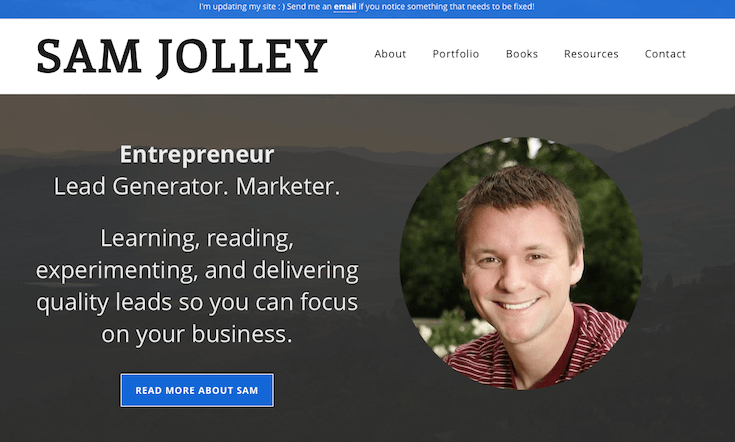
It includes prominent call-to-action buttons, large images and text, and large navigation. This site was also built using Utility Pro but manages a totally different look, thanks to its business and portfolio focus.
On the Simultaneous Emergence and Scarcity of Accessibility
I went into this article thinking I’d easily be able to find examples of accessible sites built using WordPress but that was simply not the case. I used all manner of Google tricks to find sites using accessible themes to no avail. I posted on numerous WordPress communities only to be greeted by radio silence. It was only when (upon the suggestion of our dear editor) I posted to the Accessibility channel on WordPress Slack that I received a gracious point in the right direction along with links to many of the sites mentioned above.
The help was very much appreciated (Thanks Accessibility team!). But what stood out to me is despite the dedication and great work of this team, we still have a long way to go before accessibility is a main part of WordPress site development. If the goal is to reach as many people as possible with a website, it just makes good sense to build sites with accessibility in mind. And yet right now, that’s just not the case.
“Too many developers think of accessibility as an afterthought.”
Whether you use WordPress or another CMS altogether, accessible design needs to be a part of the plan from the get-go. It’s the right thing to do. And increasingly, the legal one, too. New laws are being drafted all the time that require businesses to provide accessibility on their websites, especially when they offer services or products for sale.
For instance, a blind woman in Australia recently sued the market chain, Coles, over its site’s lack of accessibility. Several universities have also been forced to issue settlements over accessibility claims. The future is an accessible one. So it surprises me that more WordPress sites aren’t adopting the WCAG standards already.
We certainly see plenty of Drupal sites doing it. Many university sites are Drupal-based and prominently display their accessibility information. I’m not sure what the solution is in terms of expanding WordPress accessibility. I mean, the tools are there. The Genesis Framework is dominating this area at the moment. But other themes exist and great plugins are out there that make incorporating accessibility easier.
“But now it’s up to individual designers to use WordPress to build the accessible sites we know it’s capable of.”
A Focus on Accessibility
At first glance, creating an accessible WordPress site might seem like a chore. I mean, you already have a lot of steps to complete to launch a site, and building with accessibility in mind will definitely add a few more to the list.
But I don’t think accessibility should be viewed as optional. After all, if we build sites for speed, for good design, for functionality, and for typical UX, we should be thinking about the UX for those with disabilities, too. Full stop.
Have you come across a particularly great accessible WordPress site lately? I’d love to hear about it in the comments. And if you have any pointers for designing for accessibility, feel free to share those, too.
Tags: