7 Top Plugins to Turn a WordPress Site Into a Mobile App
Your website is a critical piece of your business’s online presence. This is why you spend so much time perfecting every little nook and cranny. It’s also why you make sure it’s responsive and optimized for any and every device.
But is it really?
A responsive site is great for presenting all the information from your regular website in a mobile-friendly manner. Sometimes, though, it just isn’t succinct or specific enough for mobile users’ needs.
U.S. adults spent, on average, nearly 2.5 hours on mobile apps every day in 2017. If this is a digital channel that makes sense for your business, there’s no time like the present to get moving on this.
Let’s take a look at how to determine whether or not a mobile app is right for your site and how you can go about getting one on the cheap with a WordPress plugin.
Does Your Site Even Needs a Mobile App?
For some businesses, having a responsive website isn’t sufficient enough for their customers. Here are just some of the ways Google and Ipsos research found that how consumers use mobile apps:
- Loyalty program management
- Upcoming sales notifications
- Digital coupons that can’t be found elsewhere online
- Special deals that can be redeemed while shopping in-store
- Product scanning to get more details than what the packaging provides
- Product scanning so you can save items to your online wish list or shopping cart to purchase later
Now think about your own use of mobile apps. You’re likely familiar with mobile apps that serve other purposes than just supporting retail:
- If you’re a road warrior, you probably use a GPS app.
- If you like to stay up on the news, then maybe you have something like Google News or Feedly installed in app form on your phone.
- For those of you single and ready to mingle, Tinder or Bumble may be your best friend.
- Productivity apps are popular, especially if you work from home and need to block distractions.
- Like to stay in contact with friends, families, and possibly coworkers? Facebook has the Messenger app for that.
- And, of course, there are social media apps which enable you to post and engage even as you’re on the go.
As you can see, there are a number of reasons why consumers use mobile apps and a number of ways in which you can jump on this bandwagon and make a mobile app work for your site.
For some industries and business types, this investment makes sense. Retailers? Most definitely. SaaS products? Probably. Major news or blog sites? Yes. For everyone else, you’ll have to make that determination on your own. If your audience could benefit from a platform that delivers timely deals, pertinent information, and real-time management capabilities, then a mobile app could definitely be beneficial for you.
Plugins That Can Turn Your WordPress Site into a Mobile App
If you’ve been thinking about turning your WordPress site into a mobile app, then you might already be aware of how much it costs to have an app built from the ground up. Unless you’re trained in how to develop an app yourself, you’ll have to outsource this to another developer or agency who is. And it’s going to cost a lot for even the most bare bones of mobile apps.
Here’s the thing: you’ve already built a beautiful WordPress website. If you can’t afford to incur the cost of building an app, why not go the DIY approach with a WordPress plugin? While they won’t produce the same quality or functionality as those $500k custom-made mobile apps, you’ll still have a new and all-mobile channel now available for consumers to find and engage with your business.
Curious to see what a plugin can do to help you turn your WordPress site into a mobile app? Take a look at the following:
Androapp
For content-driven websites like blogs and newspapers, this plugin might be worth a look. Essentially, it takes your news feed and turns it into a mobile app-friendly layout. While it looks similar to how your responsive site would appear on mobile devices, there is some added functionality here which makes it more suitable for apps, including:
- Push notifications
- In-line ads
- Save content offline
- Deep linking support (which is essential if you want different pages of your app to show up in search)
- Image zooming
- Custom theme and colors to match your site
Just a quick word of caution on this plugin. Although there are several references to this enabling users to build an iOS app, that functionality is currently only in beta. So, if you’re going to use this plugin, do so with the goal of launching strictly for Android, at least for the time being.
AppPresser
AppPresser, which some of you may have heard called “Reactor” at one point, is a mobile app builder that integrates with WordPress. Although it brands itself as an easy way to create a mobile app from your site, this isn’t the ideal tool for non-developers to use as it requires extensive customization in order to build your app from scratch (and make it actually work like an app).
That said, if you really don’t think a free WordPress plugin will fit the bill, but you don’t want to pay for the mobile app “services” for WordPress, then this is probably a good choice.
Here are some of the mobile app features:
- Design navigation as pull-out menu or tabs
- WordPress plugin and extension compatibility, so you can bring in things like Facebook login, camera connectivity, Google maps, and social sharing
- Create custom pages from any content on your site
- Push notification functionality
Blappsta
Here is another example of a WordPress plugin that will help you turn your WordPress blog into a mobile app. This one is not only compatible with iOS and Android devices, but also with Windows smartphones as well. Here are some of the mobile-app friendly features you should pay attention to:
FREE EBOOK
Your step-by-step roadmap to a profitable web dev business. From landing more clients to scaling like crazy.
FREE EBOOK
Plan, build, and launch your next WP site without a hitch. Our checklist makes the process easy and repeatable.
- Push notifications when a new post goes live
- Deep link indexing for Google
- Share buttons for email as well as social media (Facebook, Twitter, and Google+)
- Flexibility in how you organize content on your app, with most popular articles front and center and related posts at the bottom
- Customize navigation
- Customize home page design
This is still a relatively new plugin. However, it’s completely free to use and even comes with a preview tool so you can see what your site will look like in mobile app form before creating it.
MobiLoud
Despite being listed in the WordPress plugin directory as a free plugin for download, MobiLoud is not a free mobile app builder. Instead, it’s an affordable mobile app service whereby you entrust their team to build a mobile app for you from your website. They offer two products: one specifically targeted at converting blog or news sites into apps and one that helps all other high-traffic sites make the switch over.
With this ongoing service (it’s not just a one-time payment for an app), MobiLoud will take care of the following for you:
- Build an iOS and/or Android mobile app
- Customize design with your logo and favicon
- Enable push notifications
- Provide app updates and maintenance
For upgraded plans, you can also get their assistance in setting up analytics, monetization, and more.
Wapppress
Are you looking for a site-to-mobile-app WordPress plugin that will save you time, but get your mobile app up and running in minutes? This premium plugin will do that. While probably not ideal for anyone who needs to be able to customize the content on their app or wants to control over how it looks, this tool would be great for a blogger or small non-profit who wants an easy way to get themselves established in the Android app store.
One thing to note about this app: because it literally just takes your site and puts it into a mobile app layout, there aren’t many app-type add-ons aside from push notifications and Admob monetization.
Web2App
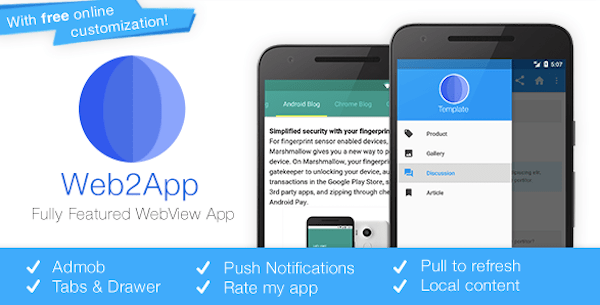
Web2App is a WordPress plugin that will help you quickly take your responsive website and move it into a full native app. Setup is easy, but that doesn’t mean you’ll have to compromise on the quality of the mobile app created with it. While it won’t work exactly like an app that costs hundreds of thousands of dollars to build, there are enough customization capabilities available to make this a suitable and affordable replacement.
Here are some of the mobile app features you’ll get with this plugin:
- Startup splash screen
- Rate my app to get customer reviews for Google Play
- Variety of ways to lay out mobile app’s display and navigation
- Social sharing
As a bonus, Web2App has video tutorials available to make the process of creating your own app with their plugin much easier.
Worona
This WordPress plugin helps users build Android and iOS mobile apps from their WordPress websites. The developers behind this plugin are also working on new features that will help users create Google AMP as well as Facebook Instant Articles. Aside from custom upgrades like using a premium theme, analytics, push notifications or relying on the Worona team to manage your app store setup, this plugin is 100% free to use.
The one thing to note about this plugin is that it has a separate, online dashboard to configure and publish your app, so you won’t be using this within WordPress.



Wrapping Up
Although going this route is a low-cost and speedy solution for turning a WordPress site into a mobile app, remember that this is a mobile app all the same. It will require just as much attention and upkeep as a website, if not more.
By creating a new channel through which your audience can engage with you, there needs to be some added value to the experience. After all, you’re asking them to not only connect with you on this platform, but also take up precious space on their smart devices (which could easily go to Snapchat, mobile games, and other time-wasters). So, if you go to the trouble of turning your site into a mobile app, be sure it’s worth it—for you and your audience.
Tags:
Brenda Barron Brenda is a freelance writer from Southern California. She specializes in WordPress, tech, and business and founded WP Theme Roundups. When not writing about all things, she's spending time with her family.