Make WordPress A Better CMS With These Plugins
If you’re developing a complex WordPress site for clients, need to deal with content policies and flows, want to make the user interface easier to work with, or add custom content without writing code, you may well need a CMS plugin.
CMS plugins give WordPress additional Content Management System functionality and appearance. The way in which they do this varies between plugins but they tend to give you one or more of the following:
- The ability to add your own branding;
- The option to remove elements from the admin screens such as dashboard widgets and meta boxes;
- Improvements to the user interface, making screens easier to work with;
- The capacity to manage multiple streams of content and publishing privileges;
- Changes to the admin menus, letting you remove menu items you don’t need or rearrange the menu to suit your needs;
- The ability to create complex content without writing code, such as custom post types and custom fields.
We examined a number of excellent plugins intended to make WordPress easier to use, minimize unwanted functionality, and speed up content publishing. We picked the best of these and present them to you here, we hope, saving you hours searching through the WordPress repository.
Covered in this post:
- CMS plugin categories – a brief look at different groups of CMS plugins and why these are important:
- Top CMS plugins – a list of the most useful CMS plugins you can use to open up the full capabilities of WordPress as a powerful CMS:
- Easy WP SMTP
- User Role Editor
- Branda
- Ultimate Addons For Gutenberg
- ShopLentor
- FileBird
- Edit Flow
- Easy Table of Contents
- Pods
- Advanced Custom Fields
- Yet Another Related Posts Plugin (YARPP)
- Posts Table with Search & Sort
- SiteOrigin CSS
- TranslatePress
- Broken Link Checker
- Better Search Replace
- FakerPress
- Editorial Calendar
- Custom Post Order Category
- Organize Series
So, let’s jump in and get straight to it…
CMS Plugin Categories
CMS plugins can be split into the following broad categories:
Plugins for Admin Customization and Branding
Plugins in this category generally let you add your own logo, customize the look of the admin screens, and/or remove elements of the admin screens such as dashboard widgets and meta boxes on editing screens.
Plugins for Creating Custom Content Without Code
These plugins let you add custom content without having to write code in functions or template files. The content types they’ll let you create will be one or more of custom post types, custom taxonomies, custom fields, and shortcodes.
In some cases these plugins are aimed at developers to create content types that non-coders can then use to add content to, meaning that the developer can add template tags to theme files so that the custom content is displayed. But the best plugins of this type will also let you create and display custom content without having to write code, even if the options offered via this route aren’t as flexible.
Plugins for Organizing and Managing Your Content
Without good systems to organize and manage a growing pile of information, even the world’s best content management system can become unwieldy. Some plugins are designed specifically to help site administrators manage things more efficiently and productively.
Tame The WordPress Beast With These CMS Plugins
The best thing about the WordPress CMS is how easy it is to bend it to your will with plugins. The worst thing about WordPress is the time it takes to research plugins to be sure they perform as advertised and won’t break your site.
With the plugins below, we’ve done the research for you, so you can move straight to enjoying the added functionality. We’ve also listed them in the order that you may want to consider adding them to expand your CMS.
If you want to create a fully CMS-like experience with your WordPress site, chances are you’ll need at least one of each.
Easy WP SMTP

A great CMS should let users do more than just easily manage their content. It should also make it easier to communicate with users.
Easy WP SMTP lets you configure and send all of your outgoing emails via an SMTP server. This prevents your emails from going into the junk/spam folder of the recipients.

More details: Easy WP SMTP
User Role Editor

Other than assigning an admin, you don’t need other users to run a WordPress site. However, if you plan to allow other people to access the backend of your CMS, you may want to customize the default WordPress user roles and capabilities beyond their basic functions.
User Role Editor is a powerful and popular plugin that lets you do this with ease. You can create and add new roles and capabilities to a single site or multisite network and customize existing roles with additional functionality.
Combined with the Branda white labeling plugin for WordPress this plugin lets you almost reinvent the WordPress CMS under your own brand.

To learn more about customizing user roles and capabilities, check out this tutorial on how to power up your users with the user role editor plugin or visit the plugin site by clicking the button below.
More details: User Role Editor
Branda

Branda lets you customize every aspect of your WordPress CMS, giving your site a unique look and feel branded with your or your customer’s identity.
This plugin also lets the Admin (or SuperAdmin in a multisite install) activate, deactivate, and manage separate modules for fine-tuned customization and white labeling of sites and customize user roles.

More details: Branda
Ultimate Addons For Gutenberg

If you are looking for a WP CMS plugin with “future pull”, then Ultimate Addons For Gutenberg is the plugin that’ll do it for you.
Installing the UAG plugin gives you instant access to a growing library of useful Gutenberg blocks inside your content editor.

More details: Ultimate Addons For Gutenberg
ShopLentor (formerly WooLentor) WooCommerce page builder for Elementor and Gutenberg

The ShopLentor WooCommerce plugin makes it easy to create beautiful and functional WooCommerce pages without writing any code. It comprises 105+ Elementor widgets, 54+ Gutenberg blocks, 24 modules, and many more.
The ShopLentor WooCommerce plugin gives you everything you need to create a successful online store. The included widgets handle various functionalities like product categories, filtering, add to cart, and checkout. You also get WooCommerce Modules that would normally require installing separate plugins. These include a wishlist, Quickview, Shopify-style checkout, and more.

You can try ShopLentor for free with the Shoplentor free version. If you want even more features, the Pro version has additional options like partial payment, multi-step checkout, Shopify-like checkout, Pre-Order For WooCommerce, Order Bump, WooCommerce Email Automation, WooCommerce Email Customizer, Product Size Chart, and GTM conversion tracking.
The plugin suits all levels of WooCommerce expertise.
More Details: ShopLentor
FileBird – WordPress Media Library Folders

Imagine posting content on your WordPress site under many different topics or running an eCommerce store with a large catalog of product categories and thousands of product images.
WordPress lets you assign posts to different categories to help keep things organized, but…what about your media files?
By default, the only way to retrieve files in the WordPress media library is by using the search function. However, this is not very helpful if you don’t name your files in a way that helps keep everything organized. What’s the point of a Content Management System if you can’t manage your content?
This is where a plugin like FileBird comes in handy. This plugin lets you create, rename, and delete folders inside your media library. Upload media files to your library and then drag and drop these easily into your folders and kapow…instantly organized media files!

The plugin lets you organize files visually without affecting the file’s saved location path. You can create nested folders and rearrange files and folders easily using drag and drop or by right-clicking your mouse and selecting an option from the smart context menu. And if all this is not cool enough, this plugin also adds a Gutenberg block that lets you insert folder images in a rich gallery into your content.
The video below with the jiggy music shows you what this really cool plugin can do …
More details: FileBird
Edit Flow

If your content management strategy involves coordinating multiple content authors and collaboration, then Edit Flow improves the WordPress Admin interface for a multi-user newsroom’s editorial workflow by adding a number of collaborative features for easier and faster content creation, such as content calendar, custom statuses, editorial comments, editorial metadata, notifications, story budget, and user groups.

More details: Edit Flow
Easy Table of Contents

Does your site publish large amounts of content with many different sections, like technical documentation, user guides, or academic research?
Use the Easy Table of Contents plugin to automatically insert a Table of Contents into different post types (e.g. posts, pages, blocks, etc.) based on selected heading tags (H1 – H6) and display it in a specified location (top, before/after first heading, bottom).
You can also configure the plugin’s settings to display a Table of Contents using different color schemes, different counters (e.g. Roman or Decimal), based on conditions like the number of headings present in the content, display as hierarchical (nested) levels, hide or expand the ToC when the page first loads, and a range of other options.

Your readers will thank you for organizing and making your content more accessible and easier to navigate.
More details: Easy Table of Contents
Pods

A great time-saving feature of the WordPress CMS is that you can build most types of sites very quickly by making minor tweaks, adjustments, and customizations to themes and plugins.
But what if you need to build a very specific type of site with custom post types, custom taxonomies, and advanced content types using custom tables?
Pods is a content development framework for WordPress that lets you extend existing content types with custom fields and customize content types including posts, pages, categories, tags, users, and media.

FREE EBOOK
Your step-by-step roadmap to a profitable web dev business. From landing more clients to scaling like crazy.

FREE EBOOK
Plan, build, and launch your next WP site without a hitch. Our checklist makes the process easy and repeatable.
The plugin lets you easily create ‘pods’ for custom post types, taxonomies and settings pages within seconds with flexible components that you can switch on or off, and relationship fields to keep your content connected and organized.

You can add custom fields to any content type or settings page using shortcodes, widgets, or theme template tags and manage all your custom content in one location using the Pods Framework.
Note: The use of ‘pods’ rather than standard WordPress terminology can be confusing, so if you’re not sure what this plugin does, watch the video below.
More details: Pods
Advanced Custom Fields

This is another plugin you may want to consider adding to your CMS if you plan to use custom fields.
Advanced Custom Fields lets you easily add custom fields to WordPress while saving time and hassle messing with template code.

This WordPress CMS plugin is so popular with users and developers, that we just had to add ACF support to SmartCrawl, our SEO plugin (covered below).
More details: Advanced Custom Fields
Yet Another Related Posts Plugin (YARPP)

YARPP helps to boost user engagement and expand the functionality of the WordPress CMS by automatically displaying related pages, posts, and custom post types to users, introducing your readers to other relevant content on your site.
You can configure the plugin’s settings to include or exclude related content by category, set parameters in the ‘relatedness’ algorithm for relevancy and content matching, specify post types, conditions, and styles for displaying relevant content, customize display labels, and more.

YARPP also works fine in a multisite environment, but it only fetches only results within each site and does not display related posts results from across your network.
More details: Yet Another Related Posts Plugin (YARPP)
Posts Table with Search & Sort

Posts Table with Search & Sort is a free WordPress plugin from Barn2 that automatically organizes your posts into sortable and filterable tables, making it easy for your audience to find the content they need.
You can create this table anywhere you like by adding a shortcode and visitors can then easily filter content by date, category, or author.

Note: If you need customized filterable product tables for an eCommerce store, check out the handy WooCommerce Product Table plugin created by the same plugin developers.
More details: Posts Table with Search & Sort
SiteOrigin CSS

CSS is the standard language of web design. SiteOrigin CSS is an integrated CSS editor for WordPress that lets you edit the look and feel of your site in real-time using visual controls that let you make finely tuned adjustments to your WordPress theme and a live preview of your site, so you get instant feedback on both your selectors and any changes you make.

One of the things that makes WordPress such a powerful CMS is its almost unlimited customization abilities.
With most WordPress themes, when you customize your site’s design using your theme’s control panel, you learn how to use that single theme.
What this plugin does, is help you learn skills that you can then apply to customize any WordPress theme.
More details: SiteOrigin CSS
TranslatePress

A powerful way to enhance the WordPress CMS is to convert it into a bilingual or multilingual site.
TranslatePress lets you translate your WordPress site directly from the front-end using a friendly user interface, with full support for WooCommerce, complex themes, output from shortcodes, forms, and site builders.
Note: TranslatePress is one of our partners and offers WPMU DEV blog readers 25% off all premium plans.
More details: TranslatePress
Broken Link Checker

Hyperlinks allow users and search engines to easily navigate and index your content. Broken links, however, cause users to leave your site faster and slow down search bots.
This can result in overall poorer user experiences and lower search rankings.
Broken Link Checker fixes all this. The plugin automatically scans your site, notifies you when a broken link is found in your content and suggests ways to fix your links.

More details: Broken Link Checker
Better Search Replace

Imagine having to replace text like a misspelled word, a sentence or paragraph of text, shortcode, or product or company name across hundreds of web pages.
How costly, dreary, and time-consuming would this task be, scanning every page of your site for instances of the offending text, then opening, editing, and resaving each page?
Well, imagine no more!
Better Search Replace is a really handy plugin that lets you easily search and replace text in your WordPress database.
Once the plugin is installed, you can access it from the ‘Tools’ menu, do a dry run to identify which tables in your database contain the search string to be replaced and how many instances there are, then select individual tables (or search all of them) and perform a global search and replace function with just one click.

This plugin can handle long strings of text and lets you perform search and replace functions on a WordPress Multisite installation—either on a single subsite or across all tables in the network.
The free version is good enough for most uses. The Pro version is useful for migrating databases to new sites, viewing detailed results of changes made during the search/replace operation and saving search/replace profiles for later use.
More details: Better Search Replace
FakerPress

Not ready to start adding real content yet but need content for your Content Management System?
FakerPress adds dummy content to your site so you can fully test things.
The plugin lets you add posts, custom post types, metadata, featured images, users, tags, categories, and comments using different settings, options, and filters.
It’s as close as you can get to effortlessly creating “high-quality” dummy content. And when your site is ready for real content, you can erase all the fake content in one click.

More details: FakerPress
Editorial Calendar

The Editorial Calendar plugin is great for getting an overview of what’s on tap in terms of upcoming content.
But that doesn’t even begin to scratch the surface. You can create new posts right from the calendar. You can set their status and the time for their publishing. And then you can drag them all around, and things will be updated automatically.

In addition, making a change in the post’s Write/Edit screen automatically updates the calendar as well.
It even lets you write content for the post from the calendar page. And while I doubt anyone would want to write a full post that way, it can be nice for jotting down notes that will be sitting there in your editor when you do get around to writing the post.
One small thing that it doesn’t do is let you set or change the category from the calendar. Still, this plugin works well, and it’s definitely worth checking out.
More details: Editorial Calendar
Custom Post Order Category

The Custom Post Order Category plugin lets your order the posts in your categories. This is important because it lets you control what posts go on top of the heap. In other words, it provides you with another opportunity to get your very best posts in front of your site visitors.
Most people aren’t going to dig deep into your category pages. And even if they did, they wouldn’t know which posts were best just from looking at the titles. You can curate your posts in each category with this plugin.

More details: Custom Post Order Category
Organize Series
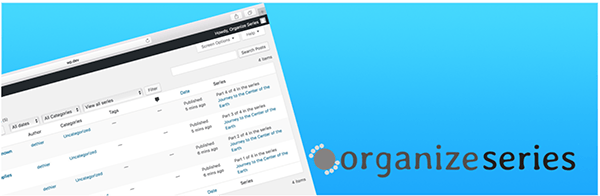
As you can probably imagine, the Organize Series plugin lets you easily organize posts into a series.
It lets you easily show connected posts in a little table of contents that sits up in the corner of your post. It also gives you a full archive type page (like a category page) with all the posts in a series.

More details: Organize Series
Are You Ready To Turn Your WordPress Site Into A CMS Beast?
Hopefully, this post and the plugins listed above will make WordPress easier to use, minimize unwanted functionality, and speed up your content publishing.
If you want to make WordPress easier for your clients to use, customize it with your own branding and logo, or hide the fact that it’s a WordPress site altogether, there will be a CMS plugin for you.
Give Your Untamed CMS Beast A Good Home
A powerful website needs powerful hosting. To get the most out of your WordPress CMS enhancements, consider becoming a WPMU DEV member and using our Managed WordPress Hosting service. Our plugins integrate seamlessly with the WordPress CMS and our hosting environment on single and multisite installs, and you also get 24/7 access to a team of WordPress experts dedicated to making sure that your site runs smoothly no matter how powerful you make it.
Tags:
Rachel McCollin Rachel is a freelance web designer and writer specializing in mobile and responsive WordPress development. She's the author of four WordPress books, including WordPress Pushing the Limits, published by Wiley.