6 Cool WordPress Random Image Plugins: Variety is the Spice of a Site
The ironic thing about random image plugins is that the plugins themselves aren’t “random” at all. They need to be well thought-out. And of course different plugin developers will think about things in different ways, giving you lots of variety.
We’ve collected six very different types of random image plugins below that will allow you to automatically spice up your site in very different ways.
Can’t decide on which one you like best? You might use a few in tandem.
1. Random Image Gallery – Download
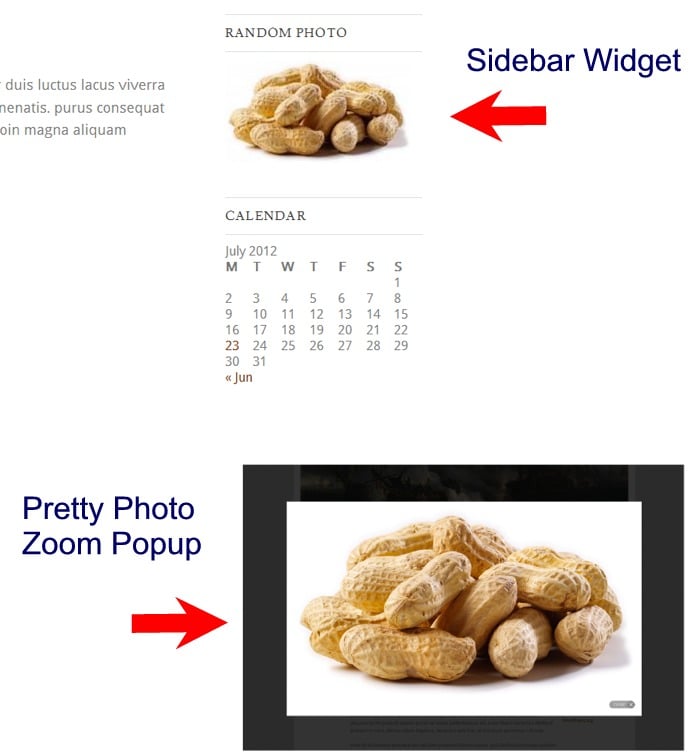
The Random Image Gallery with Pretty Photo Zoom plugin lets you put a widget in your sidebar (or code in your template) that will generate random images from a folder of your choosing.
Here’s the plugin in action:
And here’s quick look at the settings:

Main Features: Takes images from folder of your choice, clicking on image brings up image in a light box
2. Random Image Block – Download
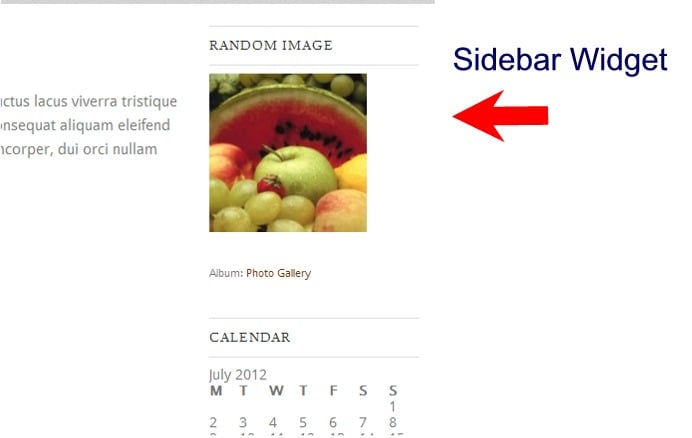
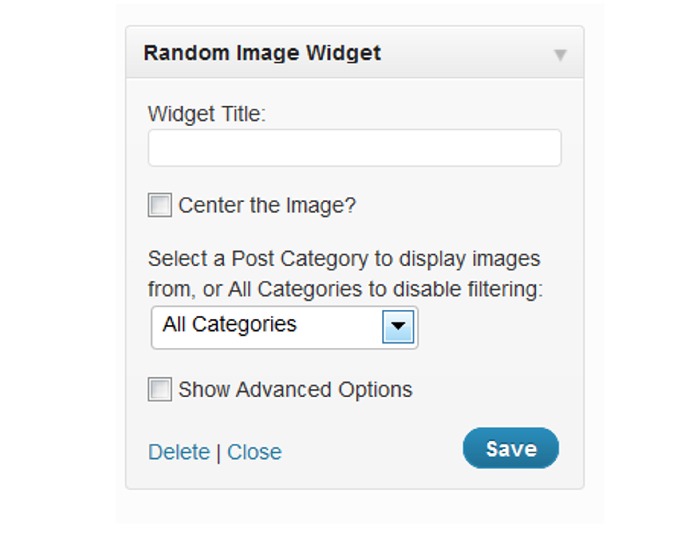
The Random Image Block plugin lets you put a widget in your sidebar to grab random images from your media gallery or embedded images. It also lets you specify taking images from only a certain category. When you click the image in the widget area, it takes you to a page with the full-sized version of the image.
Here’s a look at the plugin in action on the sidebar:
Here’s a look at the settings on the widget:
Main Features: Takes images from entire site or only one category, links to full-sized image
 Main Features: Takes images from entire site or only one category, links to full-sized image
3. Advanced Random Post Thumbnails Widget – Download
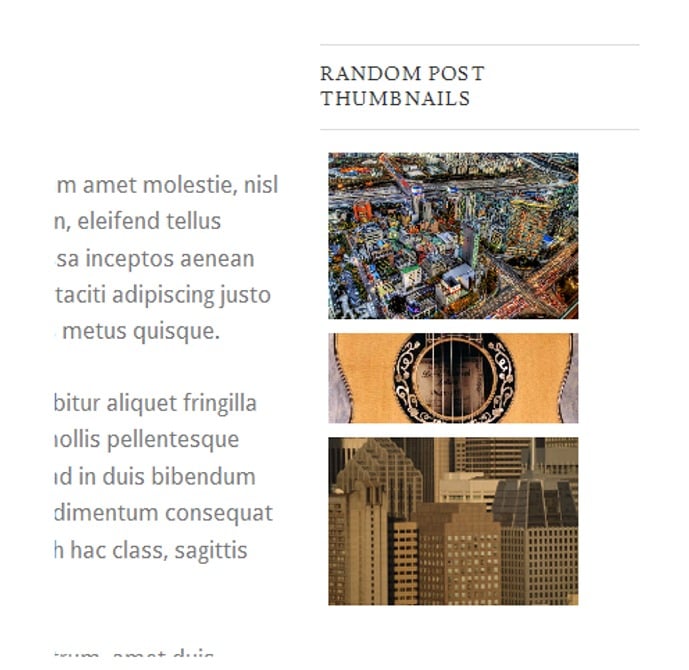
This plugin gives you a number of options for displaying random images in a sidebar widget. It lets you choose the size of the images, how they’re displayed (columns or columns and rows), where the image links to (post for image, category for image), and more. A look at the settings below will give you the full picture.
Here’s a look at the widget in action:
Here’s a look at the settings in the widget:
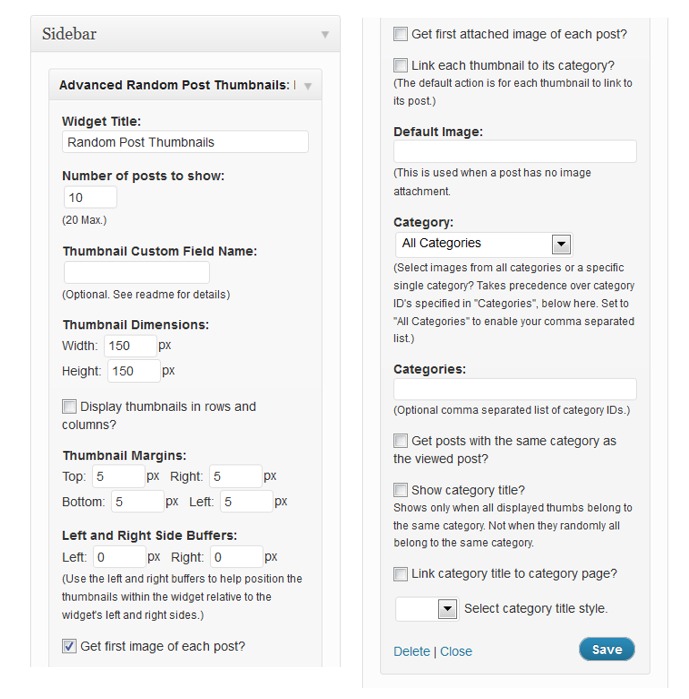
Main Features: control thumbnail sizes, control where the image links to, choose source for images based on categories
4. Garee’s Random Image – Download
The Garee’s Random Image plugin gives you the ability to insert random images in Posts or Pages with shortcodes. It also gives you the ability to add pre-defined styling effects, such as rounded corners, frames, etc. You can also choose to limit images to come from one category.

FREE EBOOK
Your step-by-step roadmap to a profitable web dev business. From landing more clients to scaling like crazy.

FREE EBOOK
Plan, build, and launch your next WP site without a hitch. Our checklist makes the process easy and repeatable.
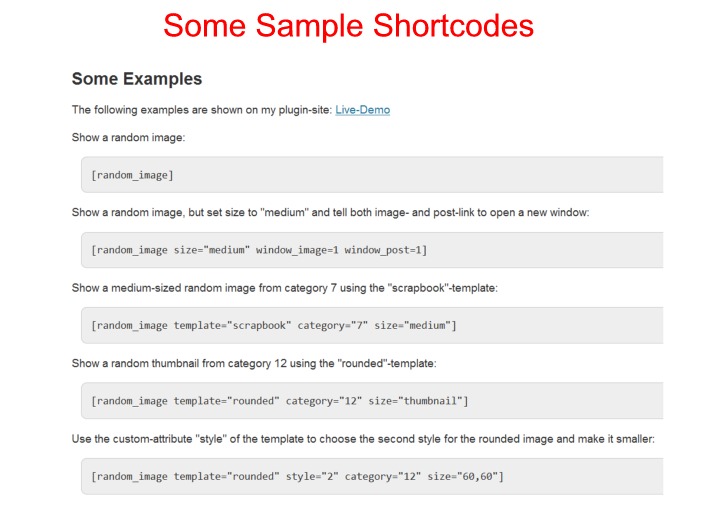
Here’s a look at a few examples from the author’s site, along with what the shortcode for it looks like.

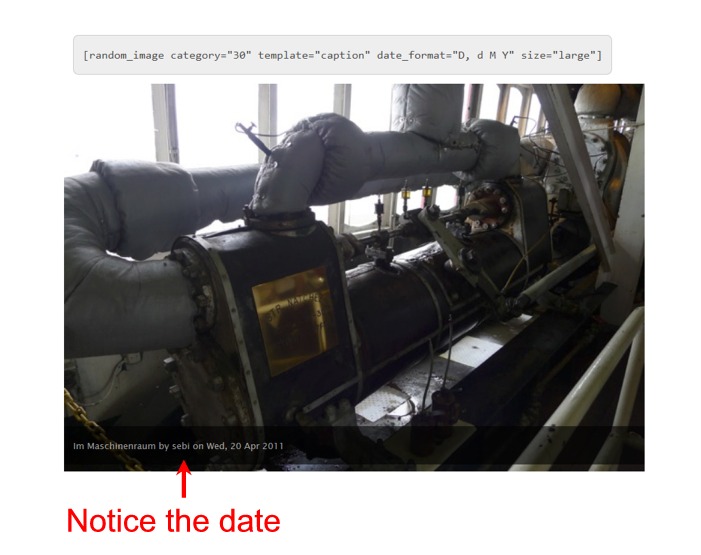
You can see more examples in action at this demo page.
The settings page for this plugin is quite extensive. It gives you a number of option for setting up your shortcodes. It also conveniently shows you your category IDs right there on the settings page.

Main Features: Place random images in Posts or Pages with shortcodes, ability to get images from selected category, lots of styling options
5. WordPress Random Image – Download
This shortcode-enabled plugin lets you insert a random image into a Post or Page from the gallery/attachments of that Post or Page. It also lets you set a number of images from your media gallery to choose from randomly.
Here’s a look at a shortcode example where I’ve set the plugin to pull randomly from a list of images. The numbers you see there are the IDs of the images. You can see this post for finding IDs in WordPress if you’re unsure how to do that.
The plugin says that it allows you to insert random images from a post other than the current post by entering the Post ID; however, I could never get that feature to work. In any case, you could accomplish the same thing by entering the IDs of the images you would like to pull from.

Main Features: shortcodes that choose random images from current post or from a selected list of images
6. FX Random Image – Download
This plugin gives you a widget that will allow you to pull in random images from the entire site or just one post. It also gives you the option of linking to a full-sized version of the image or not.
Here’s a look at the simple settings in the widget.
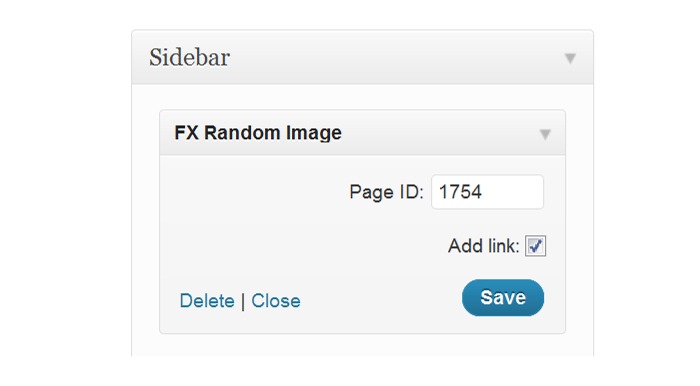
Main Features: sidebar widget that pulls in images from entire site or only one post
If you know of any other nice random image plugins out there, let us know in the comments, and let us know what you like about them.
Photo: Seven Lottery Balls from BigStock
Tags: