Add Birthdate, Email and URL Fields to BuddyPress Profiles
Up until now there really was no easy way to add birthdate or datepicker type fields to BuddyPress profiles, though this is a very common question to include in a social networking profile. The included date of birth field type in this plugin is just overall better than the default BuddyPress date selector, which includes future years. The BuddyPress core wasn’t meant to have everything and that’s why the community has made some very cool plugins to extend the platform.
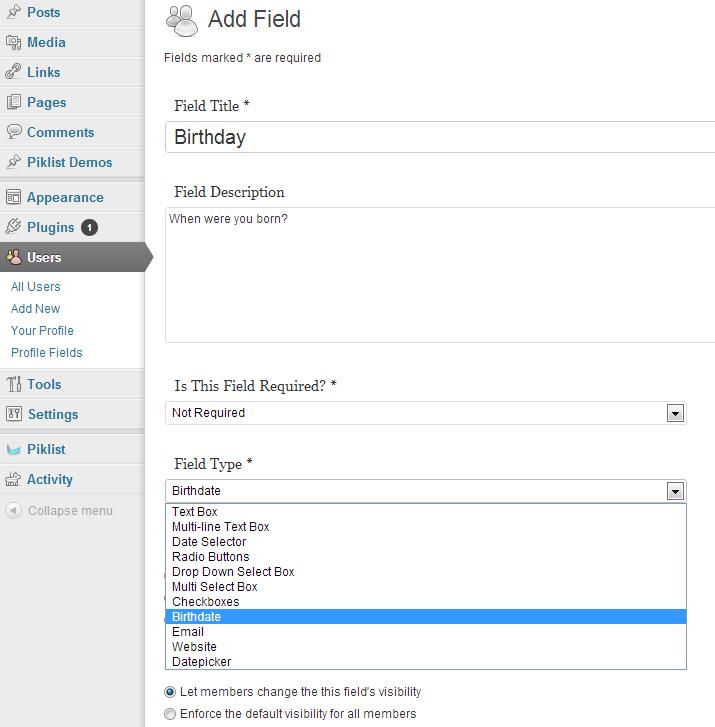
Buddypress Xprofile Custom Fields Type is a brand new extension that adds more custom fields type to extended profiles. It includes the following commonly used field types:
- Add Birthdate field.
- Add Email field (HTML5).
- Add Web field (HTML5).
- Add Datepicker field (HTML5).
After installing the plugin you’ll see more options when selecting the the profile field type under Users > Profile Fields > Add New Field:
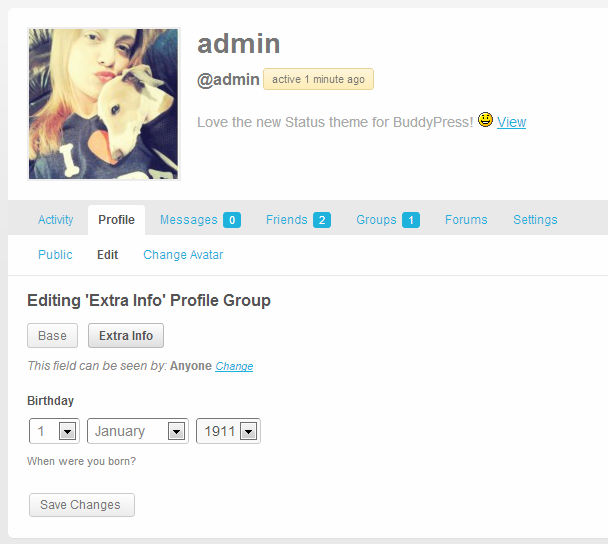
On the front end you’ll see a nice birth date dropdown box within user profiles:

FREE EBOOK
Your step-by-step roadmap to a profitable web dev business. From landing more clients to scaling like crazy.

FREE EBOOK
Plan, build, and launch your next WP site without a hitch. Our checklist makes the process easy and repeatable.
Here’s an example of the date picker field type included with the plugin:
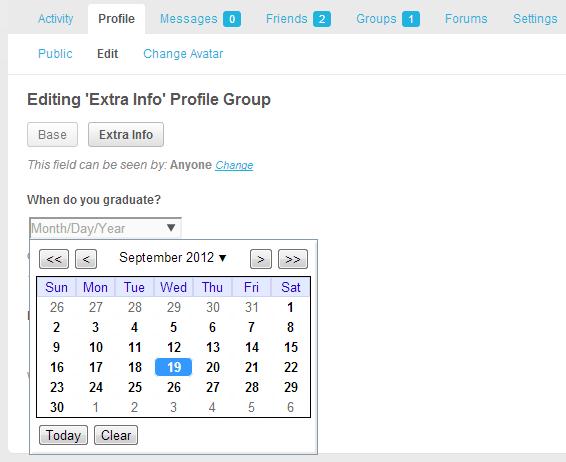
You can use your theme to style this up however you like. As you can see, it’s much more convenient to select a date this way, rather than using the traditional dropdowns, especially if it’s a date in the near future. Little additions like these will go a long way in helping to make your BuddyPress social network easier to use and more professional. I’ve tested the Buddypress Xprofile Custom Fields Type plugin and I’d recommend it for any community with with a need for more varied profile field types. Download it for free from the WordPress plugin repository or directly through your dashboard.
Want more custom field types? Explore the code of this plugin and use it as a roadmap for creating your own. Alternatively, you can email the plugin’s developer at [email protected] to make a request or suggestion.
Tags: