17 Quality Must-Have WooCommerce Plugins for WordPress in 2017
If you’re in the business of building WordPress websites for clients, then you’re actively working to grow the e-commerce economy–which is awesome! In UPS’s 2017 Pulse of the Online Shopper report, they discovered that retail is on the up and up with a 4% year-over-year growth. And when they looked exclusively at online sales, they found a 13% increase since 2016.
Further, respondents indicated that they primarily prefer to search and buy online as opposed to any other type of shopping.
- 43% always handle their shopping online.
- 21% only search for and buy products in stores.
- 36% rely on a multi-channel approach whereby online and physical shopping experiences work together.
That’s really impressive when you think about it.
Online retail is no longer something relegated to large marketplaces anymore either. Small- to medium-sized e-commerce companies are now trusted to provide secure and reliable online shopping experiences, too.
Which is why it’s a good thing you work in WordPress. While the CMS itself is not set up to help users monetize their physical or digital assets, there are vast quantities of plugins that will. Like WooCommerce. According to BuiltWith, over 2.2 million websites use WooCommerce technology to manage their e-stores.
WooCommerce is a solid eCommerce platform. If you need to monetize a handful of products or services in a pinch, it will get the job done. However, in order to create a truly high-functioning and powerful experience for your users, you have to extend its functionality with plugins (same as with WordPress).
17 WordPress Plugins That Will Enhance Your WooCommerce Website
There are a variety of ways to make money with a WordPress site–whether it’s your own site or one for your client. At any given time, this means that you could potentially be monetizing websites for different purposes:
- Physical products
- Digital products
- Services
- Memberships or subscriptions
- Courses
- Reservations
- Donations
The last few options above won’t necessarily require WooCommerce in order to enable you to make money. The others, however, you definitely will. However you expect this site to make a buck, you’ll need reliable plugins that will enable you to do so and to give you the reliability, security, and functionality online shoppers expect.
And, let’s be honest: not any old WordPress plugin will do when you’re trying to optimize the eCommerce experience. Sure, popups are great, contact forms are a must, and built-in analytics are essential. But this is an online store we’re talking about and it should be treated just like a brick-and-mortar shop. That means focusing more closely on your inventory, pricing, and the checkout process.
By using WooCommerce to run your store, you’re in a great position as there are hundreds of high-quality plugins to choose from. However, because of that, that means it’s going to take time to sift through all your options… Or you can just keep reading to find out what the best WooCommerce plugins are to streamline your store management processes and give customers more of what they want:
Fancy Product Designer
This is one of the most popular WooCommerce plugins I’ve encountered and I can see why. It works two-fold. For starters, it gives your users the ability to fully personalize their purchase based on the parameters you’ve set for them. It also gives you more control over how each product page is displayed: what information is shown, how it’s branded, etc. If you’re building a store that needs to be more flexible in what it does, start here.
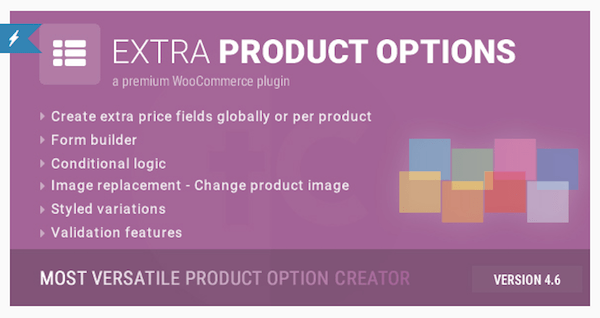
WooCommerce Extra Product Options
This plugin is best for e-commerce sites that sell physical products that offer variations. What it does is auto-calculate pricing based on the various choices your customers make. Think of something like clothing that needs to be defined by size, color, or other qualifiers. While you may find this useful if you sell some other item else that requires customization, I’m willing to bet the conditional logic here will be more useful if the site sells something like clothing or shoes.
Custom Product Tabs Pro
This plugin enables you to create multiple tabs within a product page. This is great for designing a cleaner and more easily navigable product page that doesn’t require users to scroll down to uncover details they need. Everything is right within that top frame and simply requires a click of a tab to learn more. With the premium version of this plugin, you can define a “template” for your tabs, so you don’t have to recreate them on every single page.
WooCommerce Products Filter
For blogs, it’s easy to create taxonomies for your content with built-in tags and categories that come with WordPress. For products, however, you’ll need to find something else to ease the search process for users, and that’s where filters come in. The nice thing about this plugin is that it’s powered by AJAX, so results should be fast for your users.
YITH WooCommerce Zoom Magnifier
One of the reasons many consumers still prefer to shop in person is because of the tangibility factor. When it comes to certain products, it’s just really hard to tell what they feel like or how easy they are to use unless you can get a close look at them. While this plugin won’t allow customers to touch your products, it will at least let them zoom in and take a closer look at the details.
Booster for WooCommerce
Although it’s nice being able to cherry-pick plugins based on your current e-commerce functionality needs, sometimes it’s best to just invest in one super-charged plugin that’ll handle most of it all at once. The Booster for WooCommerce does just that by giving you deeper control of pricing, CTAs, inventory, cart and checkout customization, payments, shipping, and more.
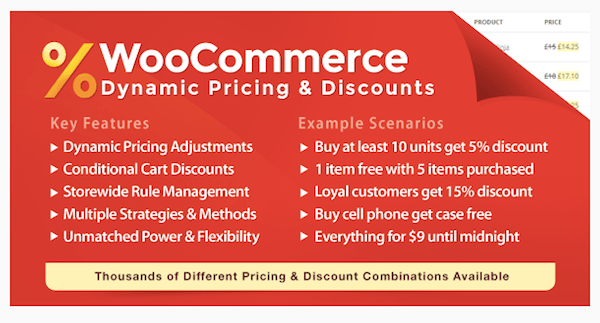
WooCommerce Dynamic Pricing & Discounts
Pricing is important for online shoppers–especially the millennial who is always in search of the best deal. That’s why you need a plugin that gives you a greater degree of control over pricing. This one allows you to set prices based on a number of conditions. You can also create discounts that reward shoppers for buying in bulk, signing up for your loyalty program, partaking in a flash sale, and so on.
Product Import Export
WordPress does have a basic solution for importing data into a website; however, that’s really only if you’re trying to import a website from another platform into a new one. e-Commerce companies, however, often need to be able to import and export data out of the system, whether it’s to load up a bunch of new products or download information about new customers. This plugin can be used for that.
FREE EBOOK
Your step-by-step roadmap to a profitable web dev business. From landing more clients to scaling like crazy.
FREE EBOOK
Plan, build, and launch your next WP site without a hitch. Our checklist makes the process easy and repeatable.
WooCommerce PDF Invoices & Packing Slips
For those of you selling digital products or services, or even memberships or subscriptions, this is a plugin you’ll need. This, of course, can also be used for the sale of physical products (especially the packing slip part of the tool). Either way, this plugin is a “must” if you intend on selling anything through your WordPress site. Generating invoices takes time and having a paper trail to document your finances is always a best practice.
Subscriptio - WooCommerce Subscriptions
Here’s another great WordPress plugin that crosses the digital and physical divide. There are any number of reasons you might want to sell a subscription through your site, be it for a product customers will need to reorder regularly or for a monthly service. Rather than have to process them manually, you can let this premium plugin take care of automating the process for you, from the placement of the order all the way through to cancellation or expiration.
WooCommerce Menu Cart
Nothing is more frustrating than making a purchase on a website, only to realize you have no idea where those items went to. Much like how your navigation should always be ever-present, so too should your shopping cart icon. This plugin will do you one better and enable you to place the quantity of items and total cost beside that flashy icon, too.
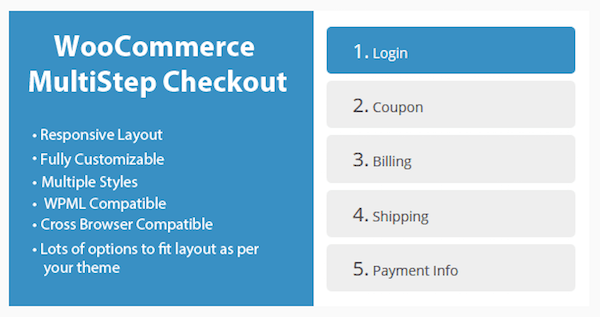
WooCommerce MultiStep Checkout Wizard
You never want to give your visitors any reason to back out of the checkout step. Of course, it’s sometimes unpredictable as to what turns them off from clicking the “Buy Now” button, but that doesn’t mean you can’t do everything in your power to make it a simplified and easy experience. You can start by using this plugin to chunk the process down into multiple steps. It even comes with breadcrumbs, so customers will always have that assurance of how much work remains in order to complete the purchase.
Stripe
With so many different payment gateway providers to choose from, it can be difficult making a decision as to which one is right for your online store. In my opinion, using one that gives you the most variety in terms of payment options is the smart choice. Of course, it needs to be secure, too, which is why Stripe is one of the most popular options for WooCommerce users.
WooCommerce Advanced Shipping
In the UPS study referenced earlier, 73% of respondents said that free shipping was a top motivator in completing a purchase online. 50% indicated that they were willing to pay for expedited shipping options, too. When shipping and delivery plays such a big role in the purchase decision-making process, you need a plugin that gives you the ability to provide more options.
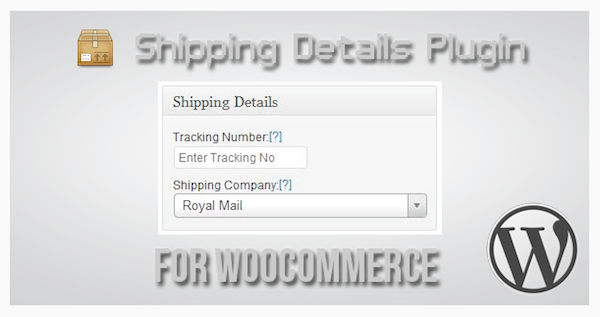
Shipping Details Plugin
Now, this plugin is less about shipping and more about the tracking of shipments. Knowing what we know about millennials, they value being able to shop online, buying from brands that are transparent about business practices, and managing their own profiles, data, and support. This would obviously then become an important tool to have if you’re catering to younger, more tech-savvy generations as it would give them self-driven insights into their shipment details.
WooCommerce Recover Abandoned Cart
When we talk about increasing conversion rates, it’s not just about how to go on the offensive and give visitors a design and experience that makes them happy. It’s also about being able to play defense and watch out for those instances where visitors need an extra nudge towards conversion. That’s why WooCommerce websites need an abandoned cart recovery plugin.
WooCommerce Social Login
According to Kissmetrics, 23% of consumers would rather abandon their online purchase than have to set up a new user account. That seems a little excessive, but with so many applications now allowing for easy Amazon checkouts or Facebook logins, it makes sense that users would demand that added convenience of other online retailers. If you want to create this added-value experience for your customers, you can do so with this plugin.











Wrapping Up
The statistics don’t lie. eCommerce is huge right now, which makes what you do an incredibly valuable and in-demand skill. In order to continue impressing customers and website visitors with the online stores you build, rely on high-quality plugins like WooCommerce and WooCommerce-friendly extensions to create the best experience for everyone.
Tags:
Suzanne Scacca Suzanne is a former WordPress implementer, trainer, and agency manager who works as a freelance copywriter. Suzanne writes about WordPress, SEO, web design, and marketing. She is Also a creator of website-building and SEO courses on Skillshare. You can follow her on Twitter.